Parties and Calendars
How reference data underpins the OpenTRMS Workbench — the party tree that every trade points at, and the holiday calendars behind every date.
Transcript1m 45s
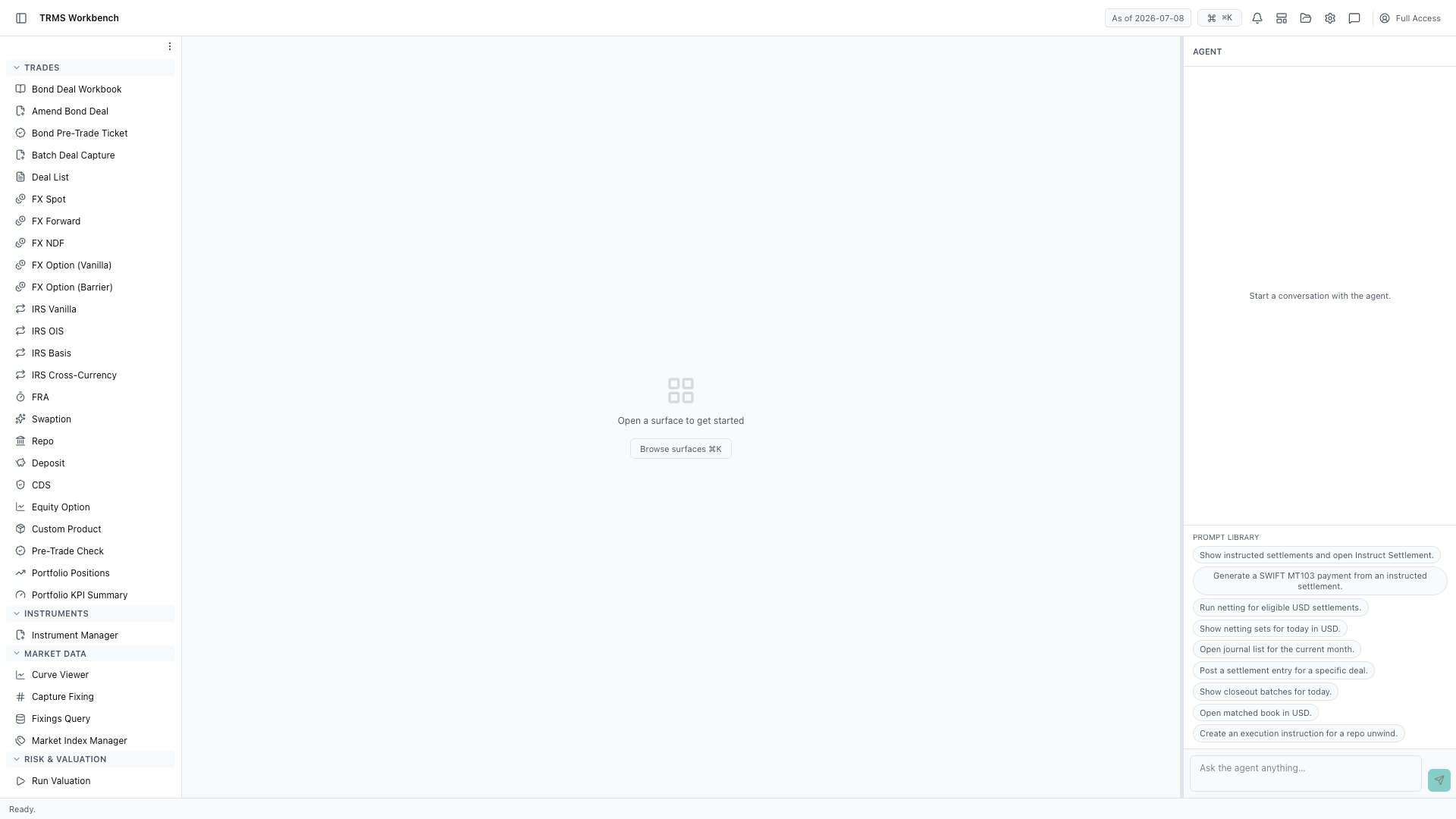
In this walkthrough we'll explore the party tree and the holiday calendars behind every date, in the OpenTRMS Workbench.
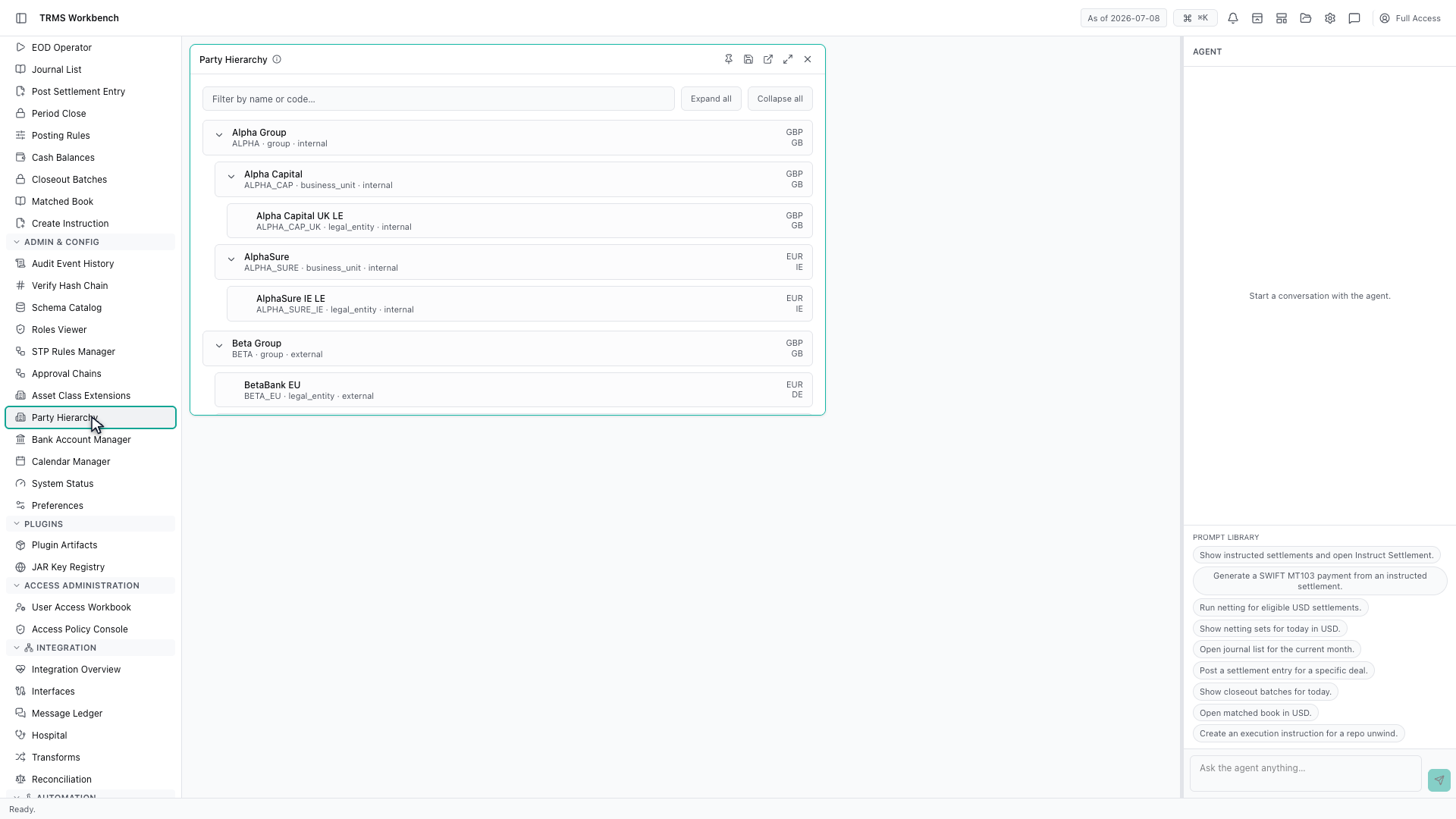
Party Hierarchy holds everyone the system knows about, arranged as a tree. Every trade points at two of these — one on your side, one on theirs.
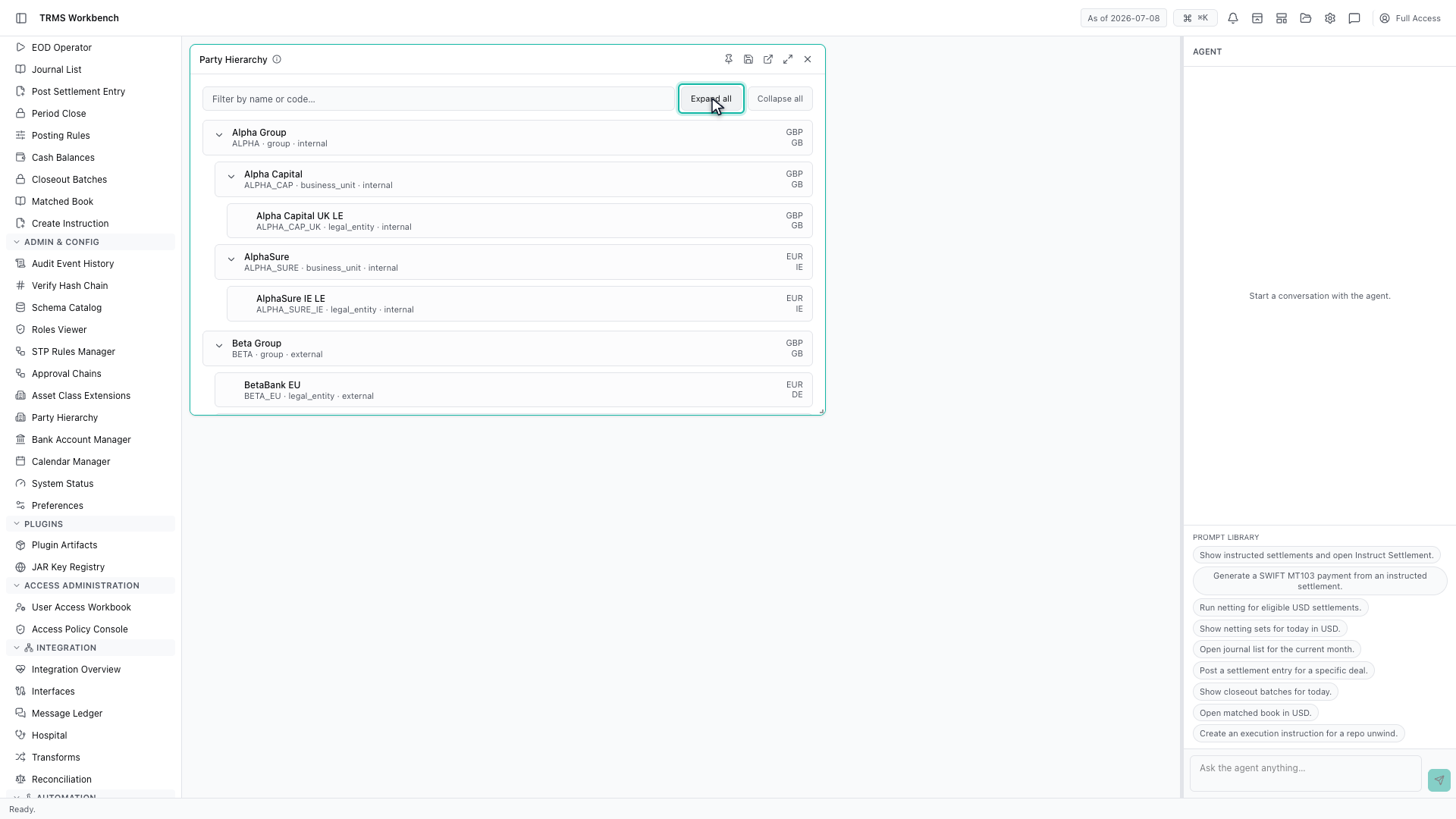
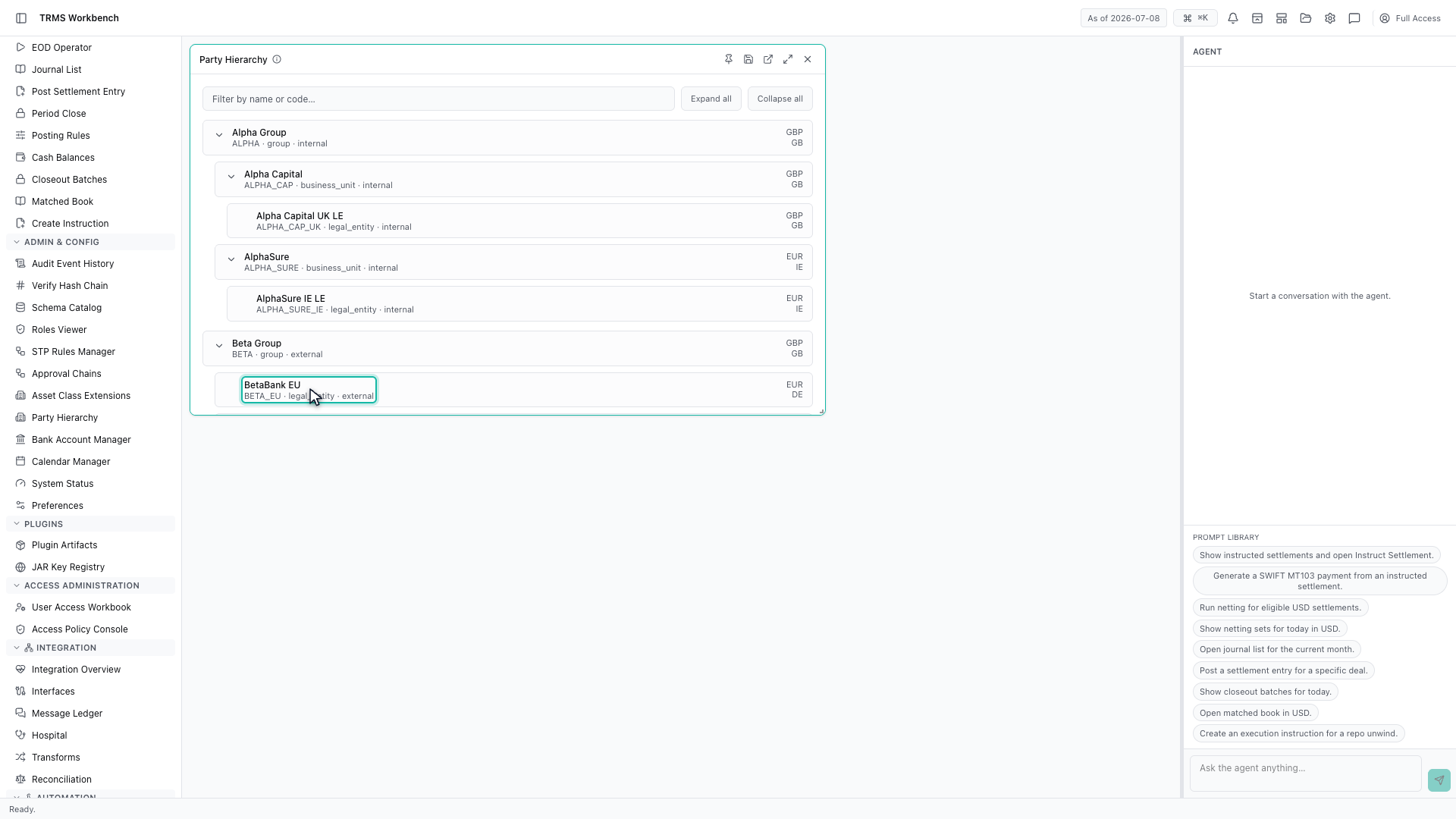
The tree has three levels. A group at the top, business units beneath it, and legal entities at the bottom — and it is the legal entity that actually trades and settles.
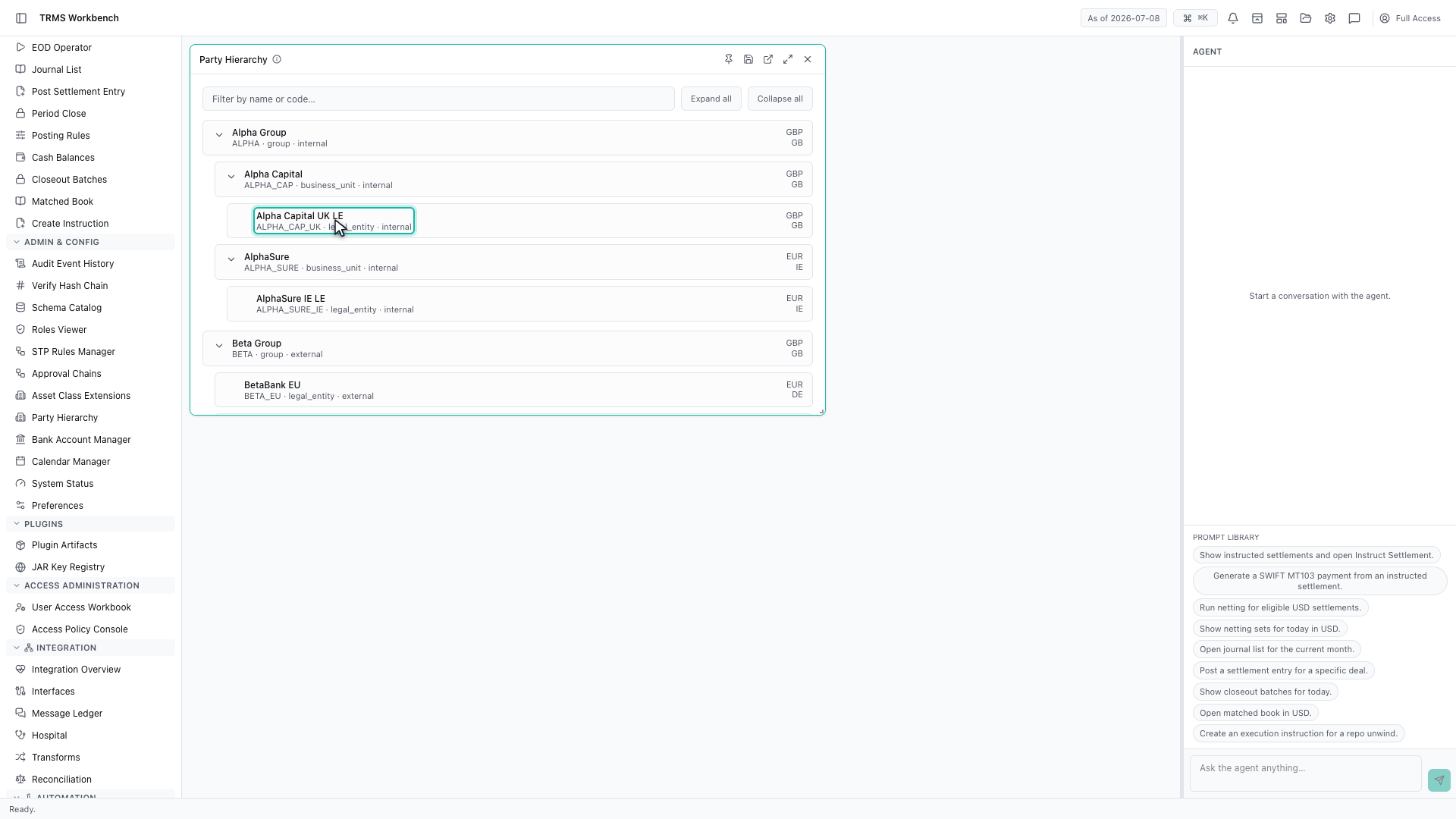
Each node carries a code and a type. Alpha Group is marked internal, which means it is part of your own organisation.
Beta Group is external. That single distinction decides a great deal — which side of a trade an entity can sit on, and which limits and settlement instructions apply to it.
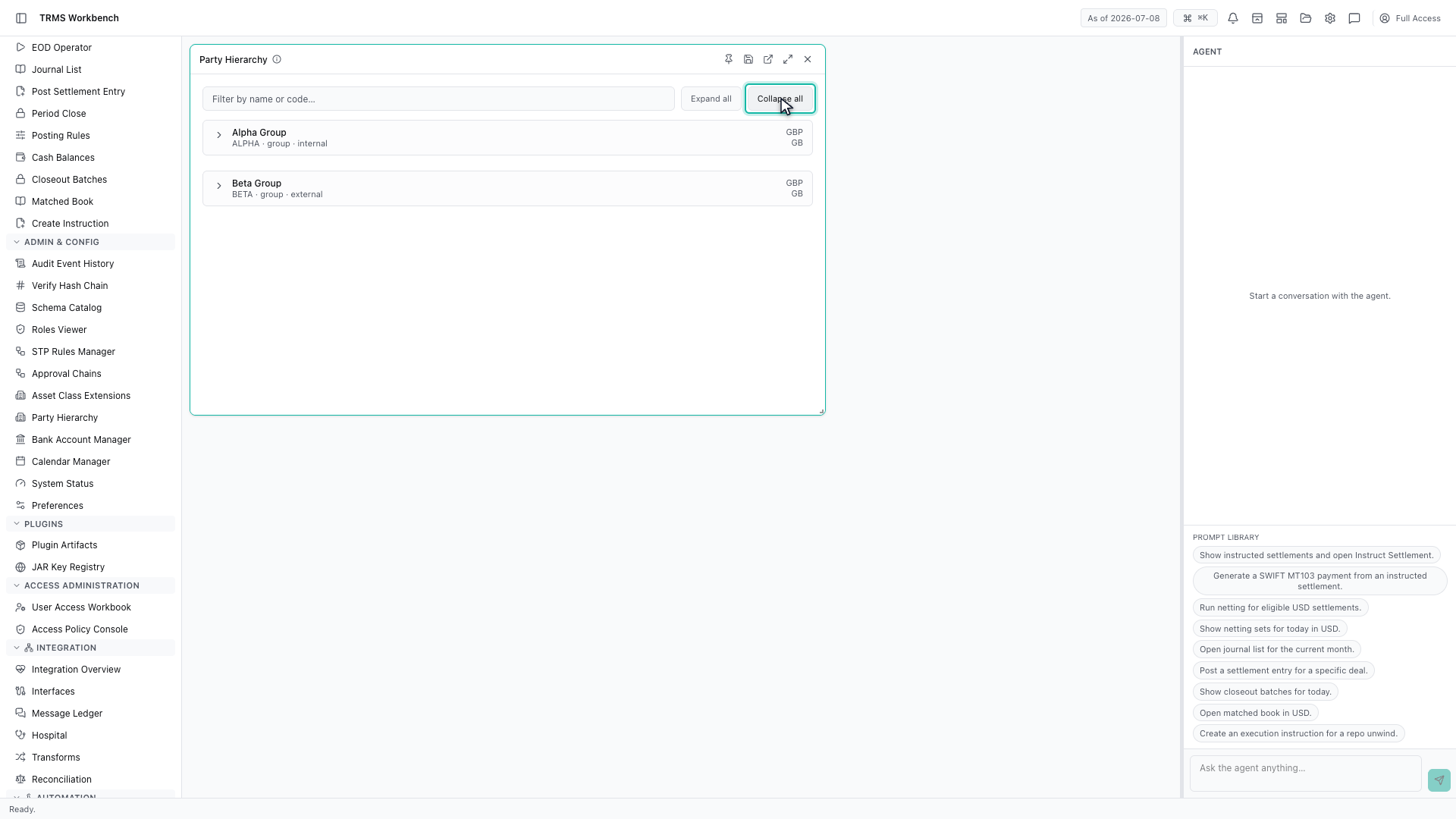
Collapse all returns the tree to its top level, which is the quickest way back when the hierarchy is large.
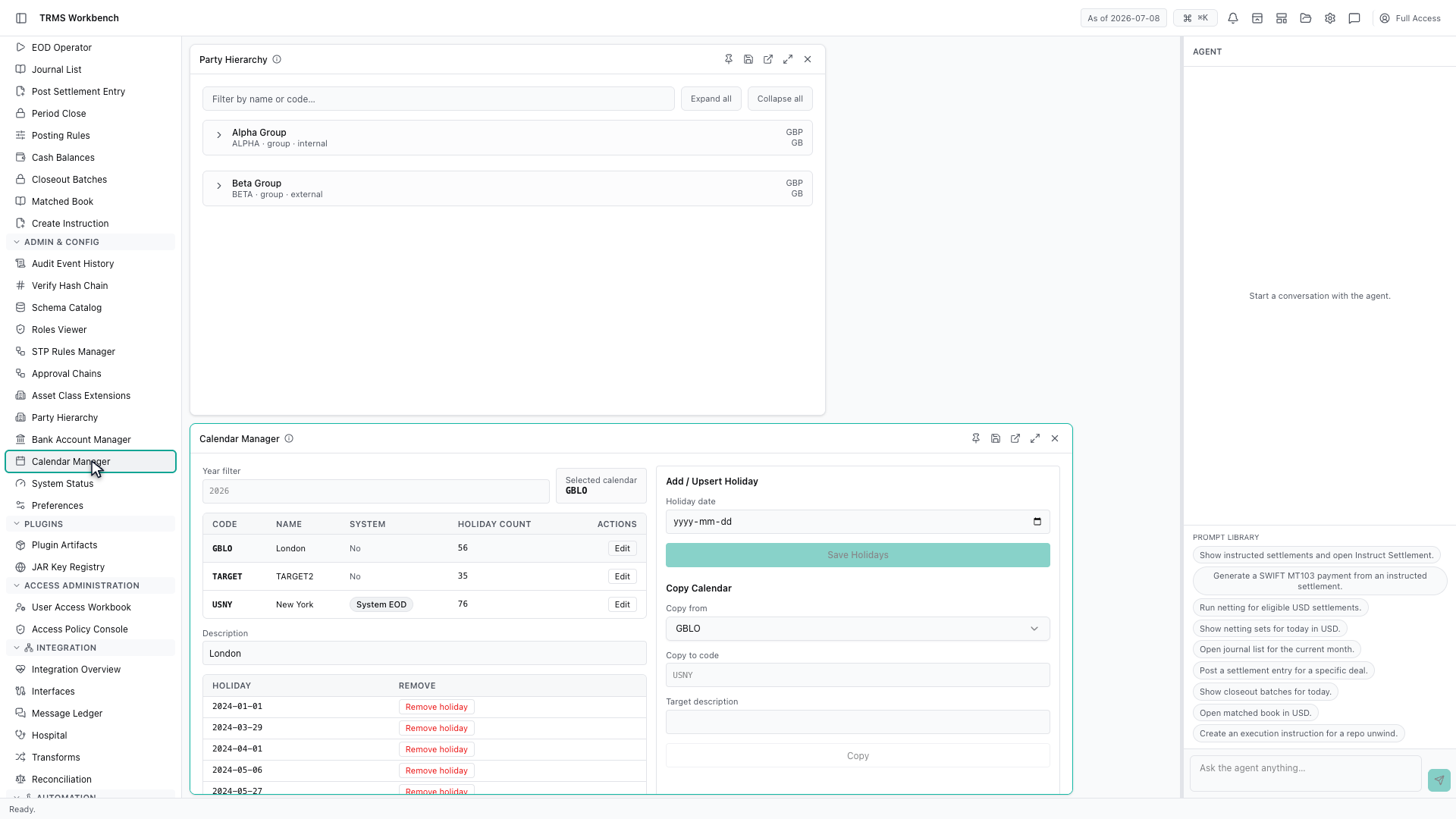
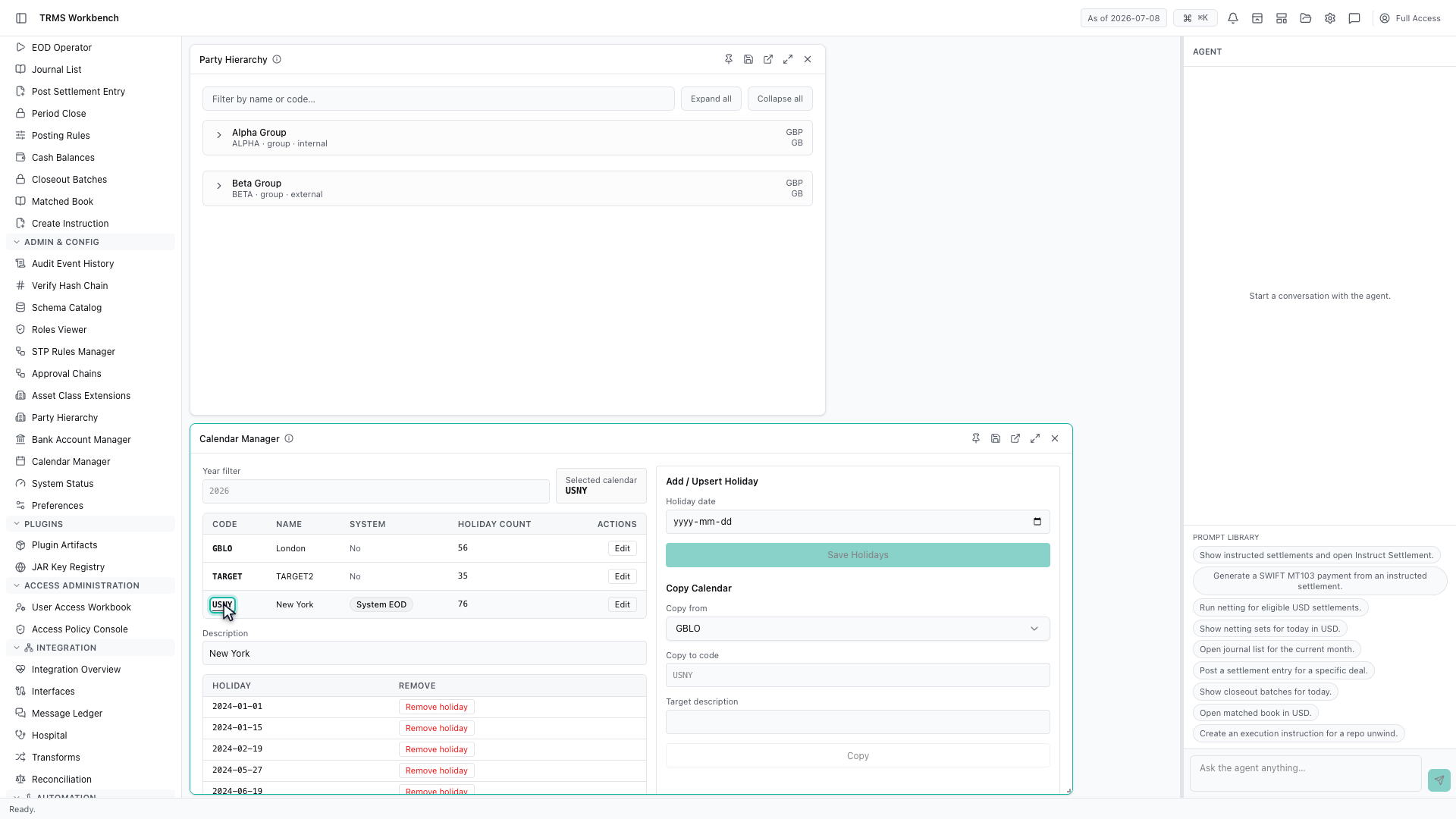
Calendars are the other piece of reference data you meet early. The Workbench keeps one per financial centre.
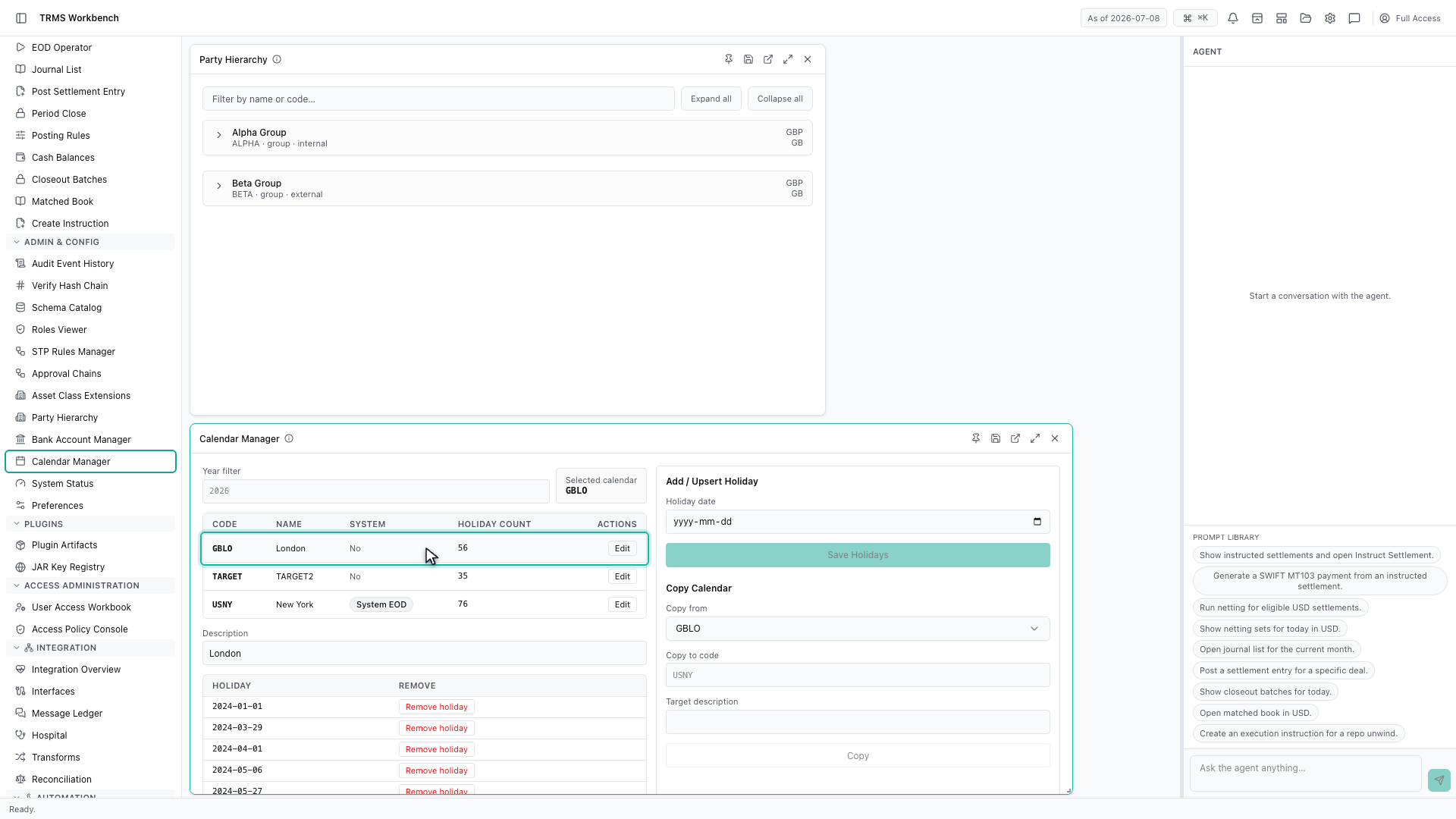
London, TARGET for the euro, and New York each hold their own holidays, and the count beside each one tells you how well populated it is.
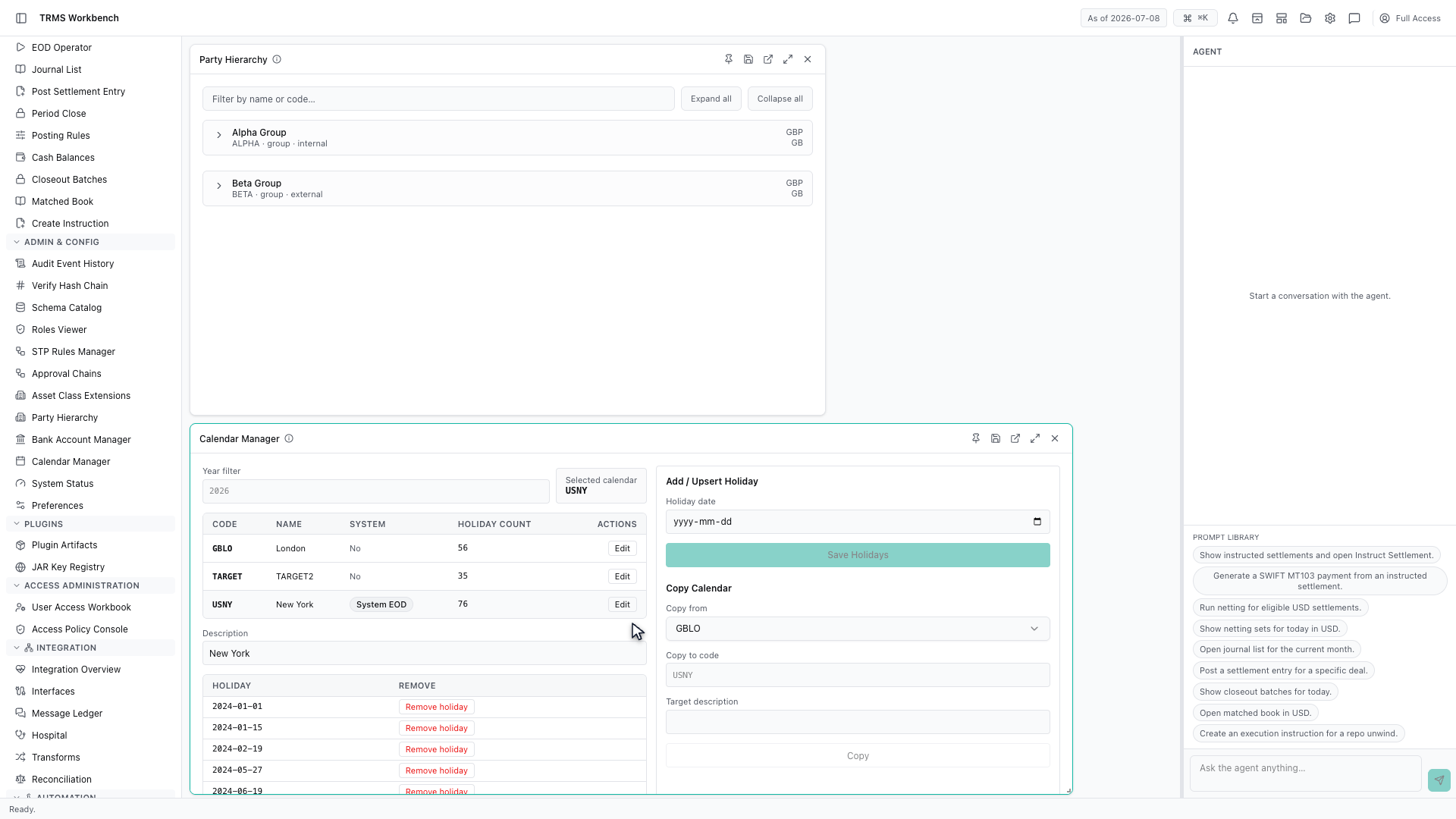
Selecting a calendar lists its holidays. These are the dates the system will refuse to settle on.
This is why a spot trade booked on a Thursday might settle the following Monday, and why the same trade in two currencies can settle on different days. The calendar decides, not the count of days.
That completes Parties and Calendars. Every surface shown here can also be opened from the agent panel on the right, by asking for it in plain English.
1. Open the Workbench
In this walkthrough we'll explore the party tree and the holiday calendars behind every date, in the OpenTRMS Workbench.
2. Open the Party Hierarchy
Party Hierarchy holds everyone the system knows about, arranged as a tree. Every trade points at two of these — one on your side, one on theirs.
3. Expand the tree
The tree has three levels. A group at the top, business units beneath it, and legal entities at the bottom — and it is the legal entity that actually trades and settles.
4. Internal parties are your own entities
Each node carries a code and a type. Alpha Group is marked internal, which means it is part of your own organisation.
5. External parties are counterparties
Beta Group is external. That single distinction decides a great deal — which side of a trade an entity can sit on, and which limits and settlement instructions apply to it.
6. Collapse the tree
Collapse all returns the tree to its top level, which is the quickest way back when the hierarchy is large.
7. Open the Calendar Manager
Calendars are the other piece of reference data you meet early. The Workbench keeps one per financial centre.
8. One calendar per financial centre
London, TARGET for the euro, and New York each hold their own holidays, and the count beside each one tells you how well populated it is.
9. Select a calendar
Selecting a calendar lists its holidays. These are the dates the system will refuse to settle on.
10. Why calendars matter for settlement
This is why a spot trade booked on a Thursday might settle the following Monday, and why the same trade in two currencies can settle on different days. The calendar decides, not the count of days.
11. Next steps
That completes Parties and Calendars. Every surface shown here can also be opened from the agent panel on the right, by asking for it in plain English.