Instructing Settlements
How to instruct settlements in the OpenTRMS Workbench — selecting them in the queue and applying a settlement instruction.
Transcript1m 12s
In this walkthrough we'll select settlements in the queue and prepare them for instruction, in the OpenTRMS Workbench.
Instructing a settlement tells the bank how to move the money. It starts in the queue, not in the instruction form.
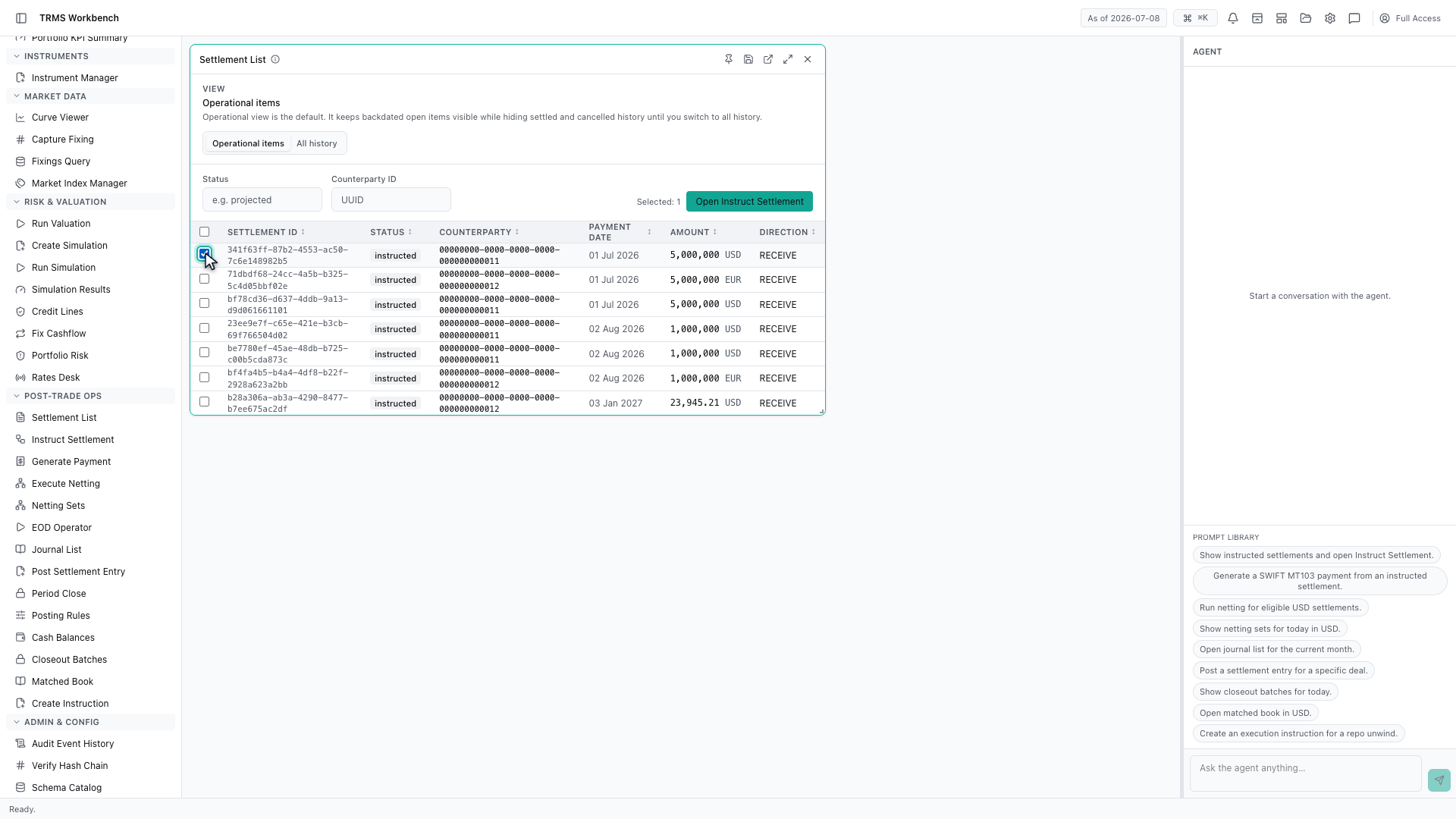
Pick the items to instruct. Settlements are usually handled in batches for the same counterparty and value date, so the checkboxes are the normal way in.
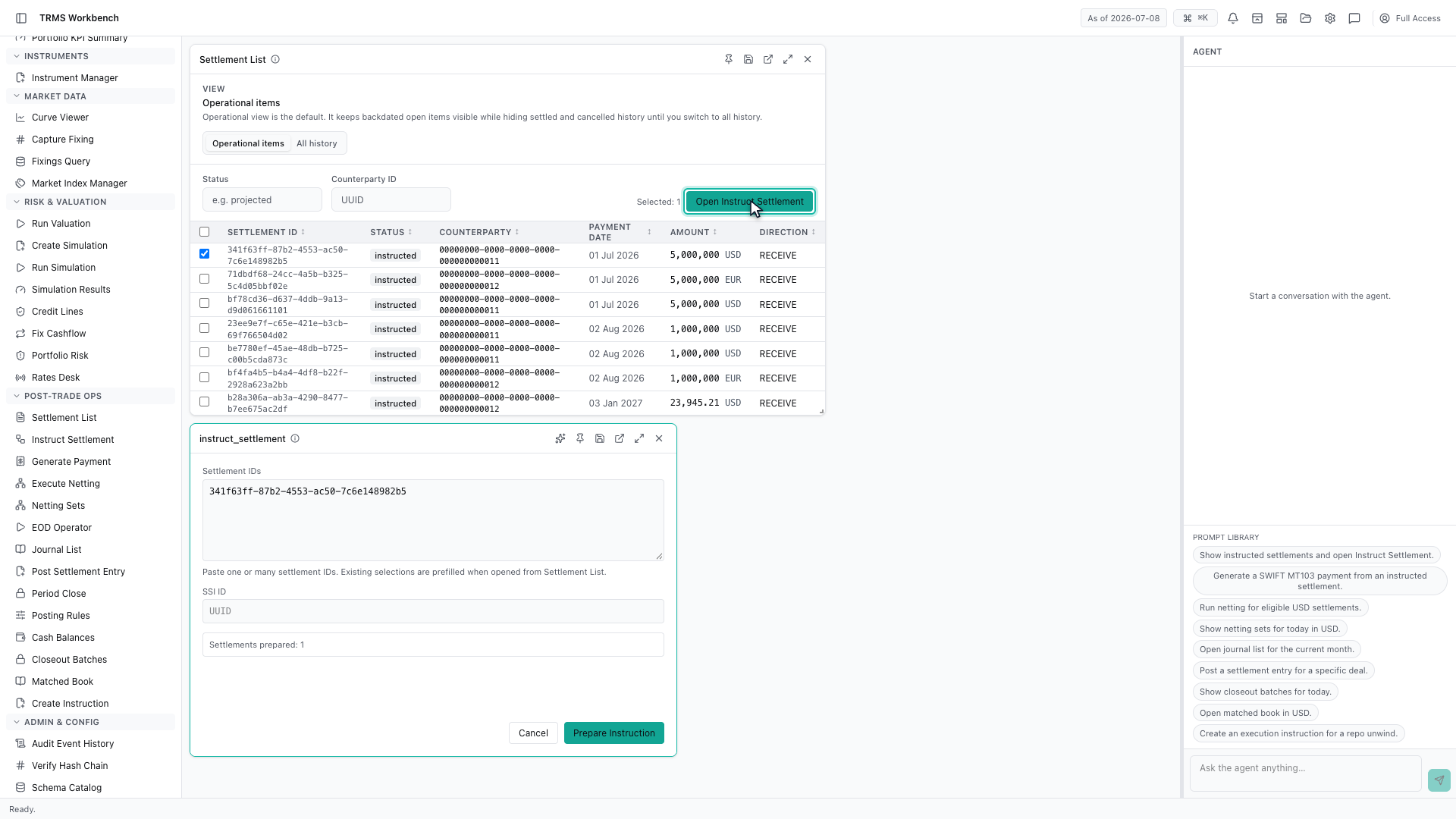
Opening Instruct Settlement from here carries the selection across.
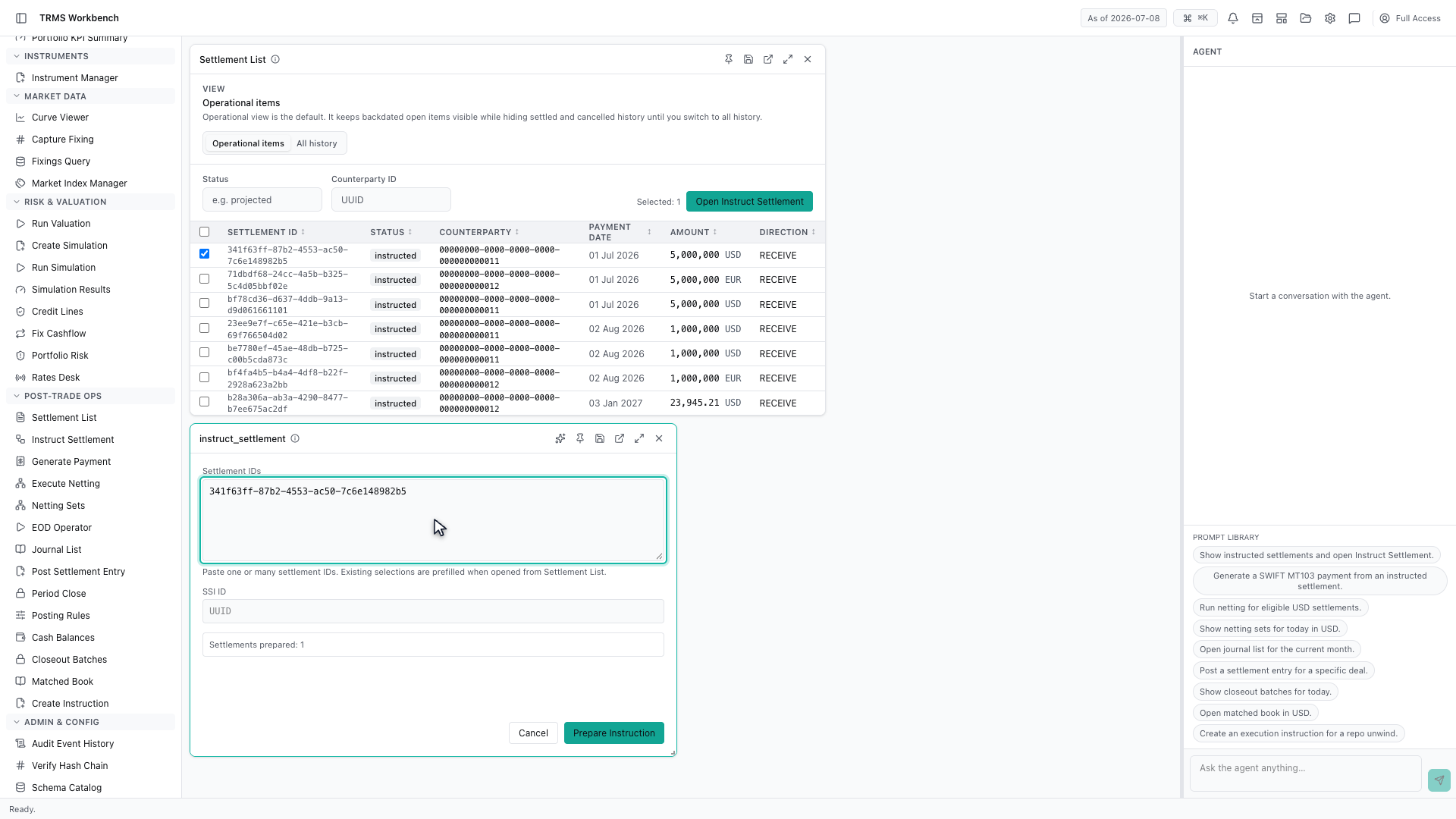
The identifiers arrive already filled in. Nothing is copied by hand, which matters when a batch runs to dozens of items.
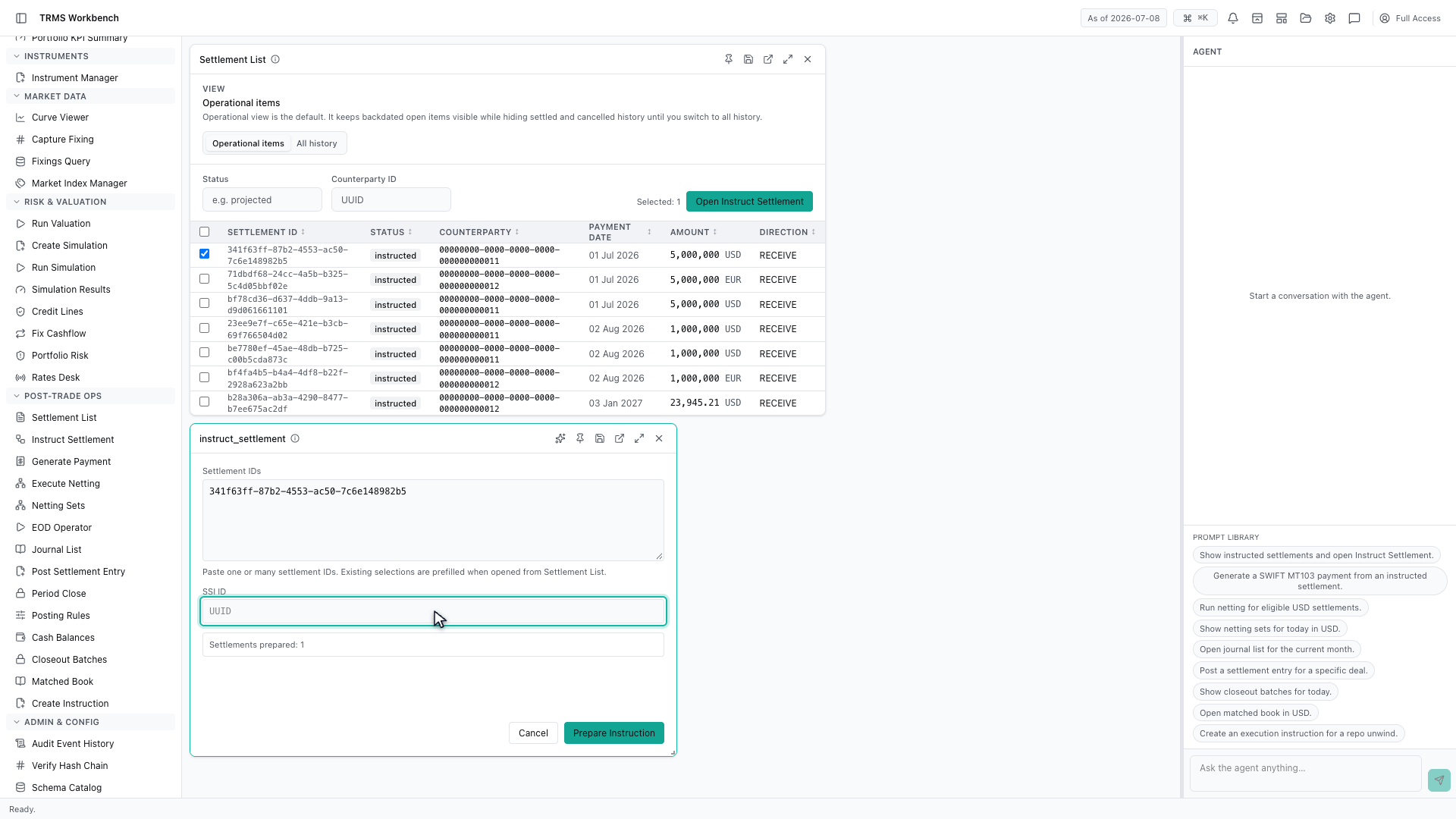
The settlement instruction is what completes it. It holds the account and the payment route the money will follow, and one instruction is applied across the whole selection.
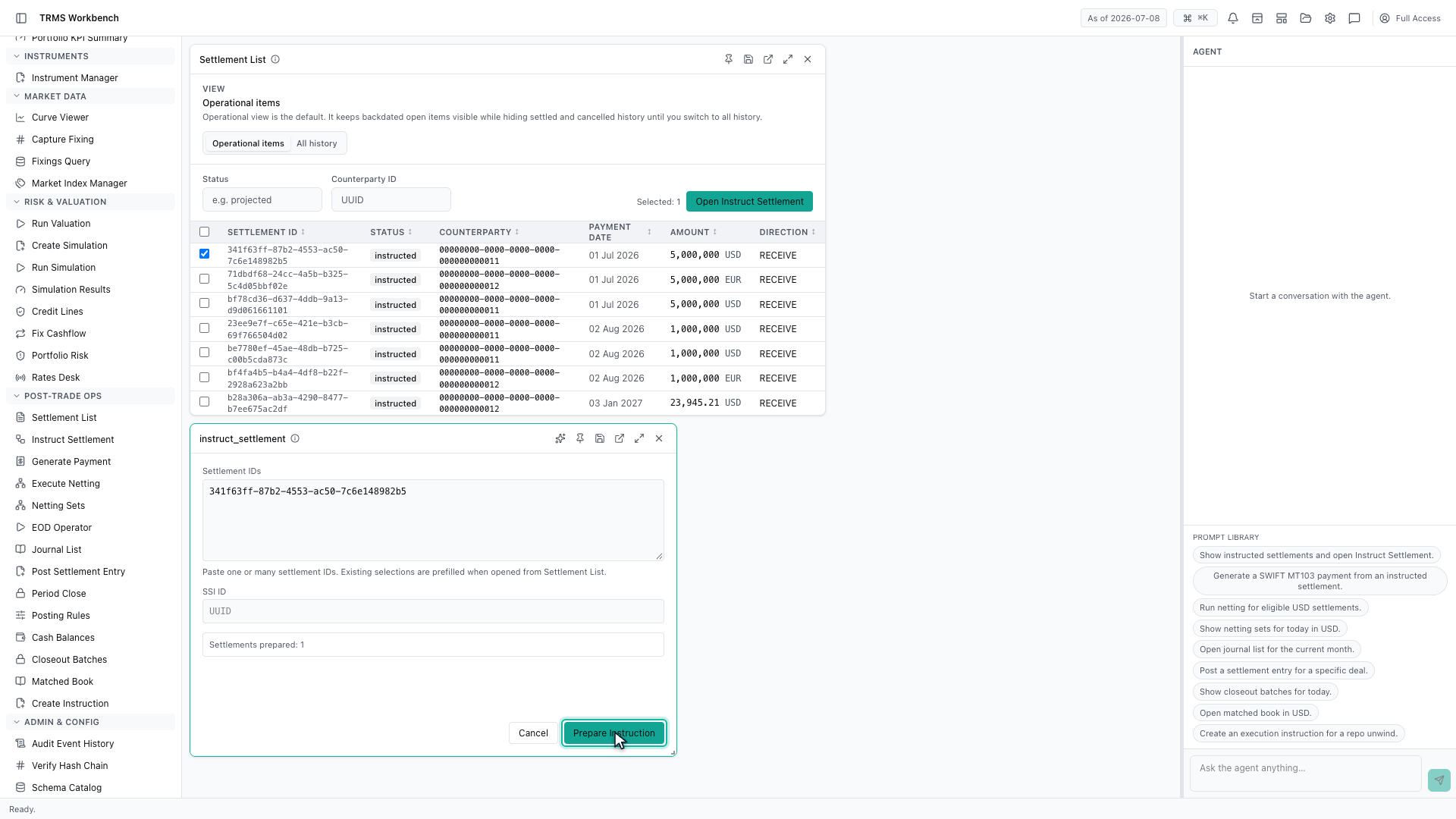
Preparing the instruction is the final step, and the count of prepared settlements confirms what is about to be sent before anything leaves the building.
That completes Instructing Settlements. Every surface shown here can also be opened from the agent panel on the right, by asking for it in plain English.
1. Open the Workbench
In this walkthrough we'll select settlements in the queue and prepare them for instruction, in the OpenTRMS Workbench.

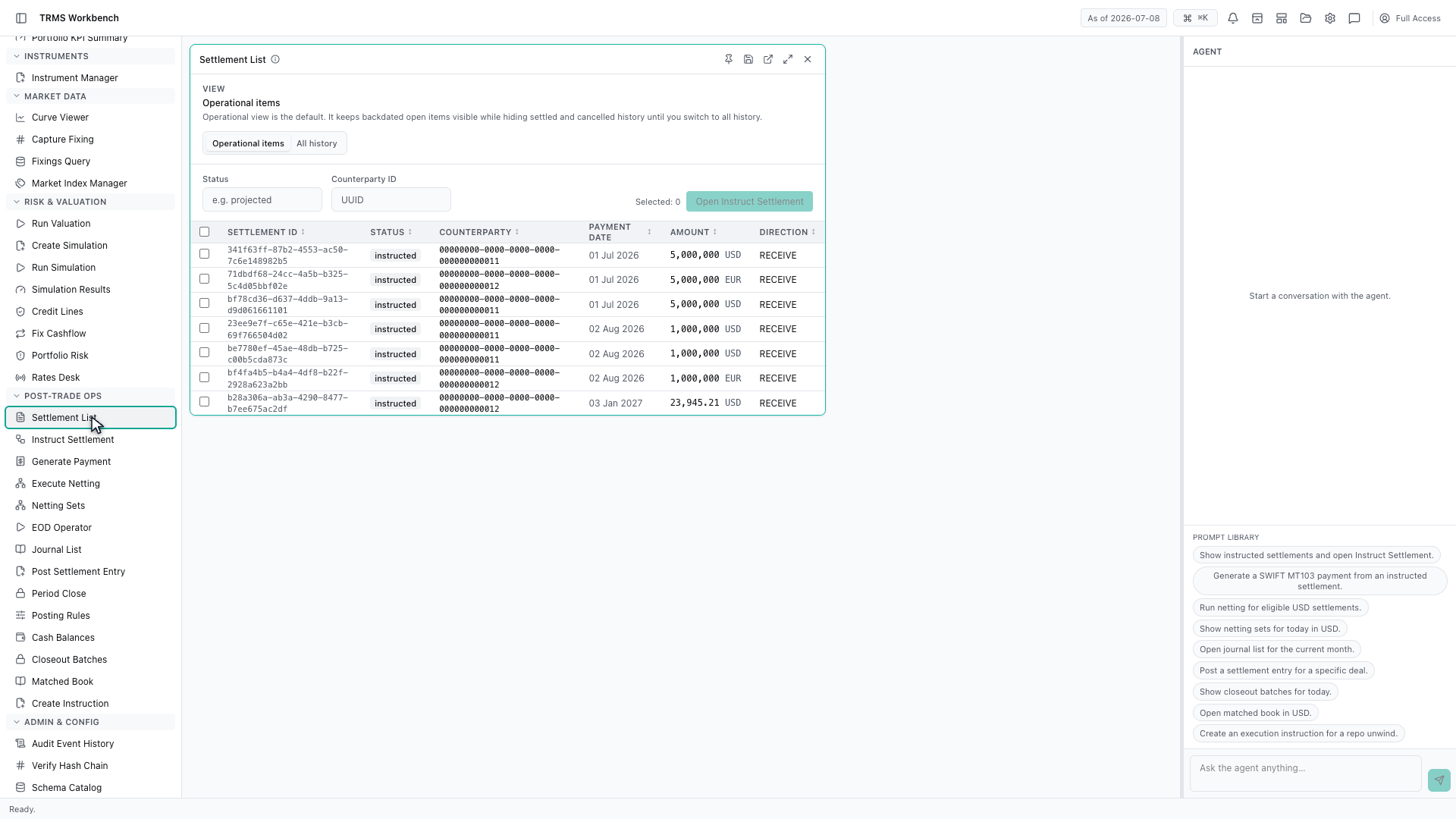
2. Start from the settlement queue
Instructing a settlement tells the bank how to move the money. It starts in the queue, not in the instruction form.
3. Select the settlements
Pick the items to instruct. Settlements are usually handled in batches for the same counterparty and value date, so the checkboxes are the normal way in.
4. Carry the selection across
Opening Instruct Settlement from here carries the selection across.
5. Identifiers arrive prefilled
The identifiers arrive already filled in. Nothing is copied by hand, which matters when a batch runs to dozens of items.
6. Apply a settlement instruction
The settlement instruction is what completes it. It holds the account and the payment route the money will follow, and one instruction is applied across the whole selection.
7. Prepare and confirm
Preparing the instruction is the final step, and the count of prepared settlements confirms what is about to be sent before anything leaves the building.
8. Next steps
That completes Instructing Settlements. Every surface shown here can also be opened from the agent panel on the right, by asking for it in plain English.